Introduction
Hey there! This is the most essential blog post for your Pinterest success. Pinterest SEO strategy and finding keywords using 5 easy, completely free methods. Did you know Pinterest SEO and Google SEO are the cornerstones of your website’s success? Let’s tackle Pinterest SEO today.
Before creating any pins, you need to start with keyword research, which is finding words that your audience is actively searching for. I recommend using free methods rather than paying a website to find them. Here are simple techniques to discover which keywords you ought to use for your pins to make them stand out visually and which ones your competitors are leveraging.
Keywords are absolutely essential for your Pinterest marketing strategy since this platform functions as a search engine. These keywords create a bridge between you and your audience, leading clients toward your offers and products. When anyone uses a search bar, they type words describing what they want, and the search engine shows relevant results. That’s the power of keywords.
To help your audience find your offers, you must use the words they’re most likely to search for. The key questions are: how do you find these words, and are they different from Google keywords? Let’s dive into the main steps.
Save this pin
Pinterest Basics: Understanding the Platform
Pins are the content you post on Pinterest: images with overlying headlines as well as URLs directing traffic to your website. These pins should send your audience to your blog posts, shop, or services. Pinterest boards are where your pins are parked and organized. A pinner is someone who uses this platform and saves or pins content to their boards, and pinning is the act of publishing those pins.
Related Post – How To Make Money On Pinterest For Beginners
Why Keywords Matter So Much
Keywords are words or phrases your Pinterest audience uses to find content. Using these same terms in your pins helps Pinterest categorize your content and display it to users when they search. This is Search Engine Optimization in action.
Without proper keywords, Pinterest cannot label your content effectively, meaning your audience won’t see your pins in search results and won’t reach your website, even if you have made a highly attractive pin. Keywords become the cornerstone of your content success on both Pinterest and Google.
Want easy, practical content tips to grow your business? Join my weekly email list for Canva tricks, new social media updates, and simple strategies that actually work.
How Pinterest Works: Understanding Visibility
Pinterest displays pins in three main locations:
- Search Results: Show pins with headlines matching searched keywords
- Home Feed: Features pins based on previous searches and engagement or those with related keywords
- More to Explore or More Like This: Suggests related content
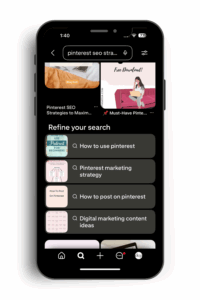
Pinterest also shows “Refine Your Search” suggestions as you scroll. My feed currently displays pins about Pinterest, blogging, books, and color schemes based on my recent searches.
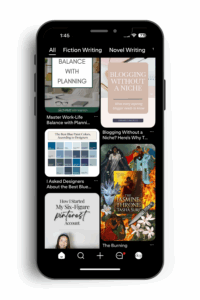
This proves that headlines with specific keywords get maximum visibility and rank higher, making pins perform better. Pinterest uses these words to annotate content, and the same keywords drive better performance.
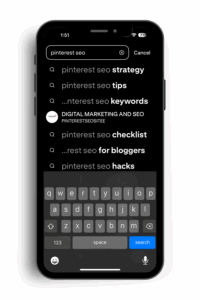
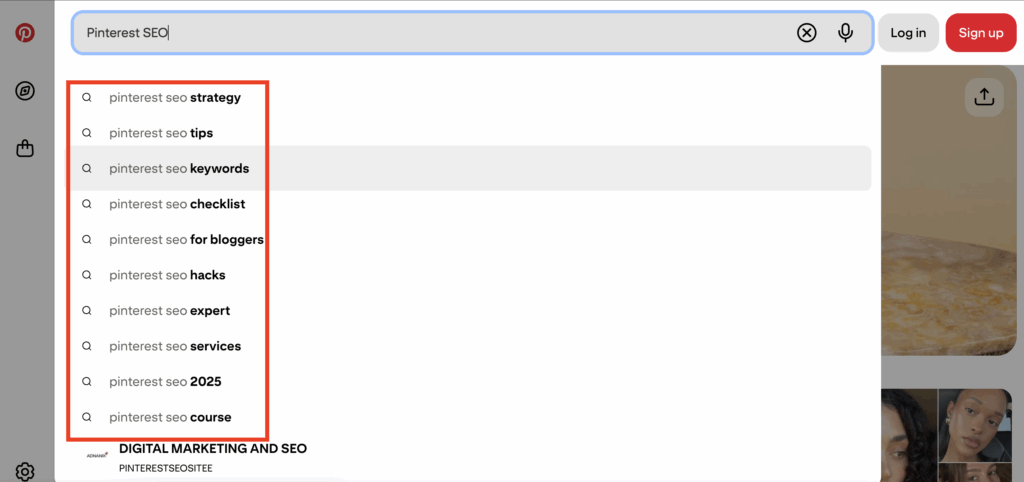
For Example: Searching “Pinterest SEO” triggers autocomplete suggestions like “Pinterest SEO strategy” and “Pinterest SEO tips.” Results show pins, boards, and accounts using those exact words or related keywords. Pins without these keywords won’t appear, even if their destination URLs contain Pinterest SEO content.
Free vs. Paid Keyword Tools
I avoid Pinterest keyword tools behind paywalls, preferring free research methods. For this post, I tested Keysearch which provided search volume in the free version. Keywordtool constantly prompts for subscriptions, while Blog to Pin offers additional details.
Many creators focus on pin graphics rather than keyword optimization or rush to post quantity over quality. It’s better to create 4 well-optimized pins than 20 hastily made ones.
Remember: Skipping keyword research is the worst mistake for your business since it directly impacts pin performance.
Impact of Keywords on Pinterest Performance
On Pinterest, accuracy in using keywords across your pins, titles, descriptions, board names, and alt text directly improves performance. These keywords allow Pinterest to understand, categorize, as well as display your content to users searching for those terms.
While creating Pinterest accounts, the platform asks about interests. This information works with keywords, as Pinterest shows your pins to accounts with matching interests. All creators must intentionally use keywords in pins, boards, account names, bios, and descriptions. This intentional optimization process is called SEO optimization.
When I started implementing this strategy, my Pinterest traffic skyrocketed within six months.
Related Post – How To Avoid These Common Pinterest Marketing Mistakes
Pinterest Keywords vs. Google Keywords: Key Differences
Although audiences might overlap, search behaviors differ between Google and Pinterest. Google uses autocomplete suggestions that can serve as keywords, but social media platforms like Instagram and Pinterest, which now function as search engines, often receive different types of queries.
My advice: Research keywords across different platforms, identify overlaps, and use them strategically. Use keywords found on Google as your starting point, then test them on Pinterest to see available content.
Remember: Google relies heavily on AI, while Pinterest is less AI-focused. Concentrating on Pinterest-specific SEO keywords yields better results for your content, even more now with advent of Google AI.
Pin this on your boards

5 Free and Easy Ways to Find Pinterest Keywords
These methods are currently top priority:
- Search Bar Autocomplete
- Keyword Bubbles
- Related Searches
- Chrome Incognito Mode Analysis
- Advanced Pin Analysis
- Pinterest Trends (Advanced Method)
All these methods are free and accessible directly on Pinterest. Use Chrome browser’s incognito mode for optimal keyword discovery.
1. Pinterest Search Bar Autocomplete
Start keyword research with one word from your niche. For example, “Blogging.” Type this word into the search bar, and a dropdown menu displays autocomplete suggestions. That’s your first source of keyword ideas.
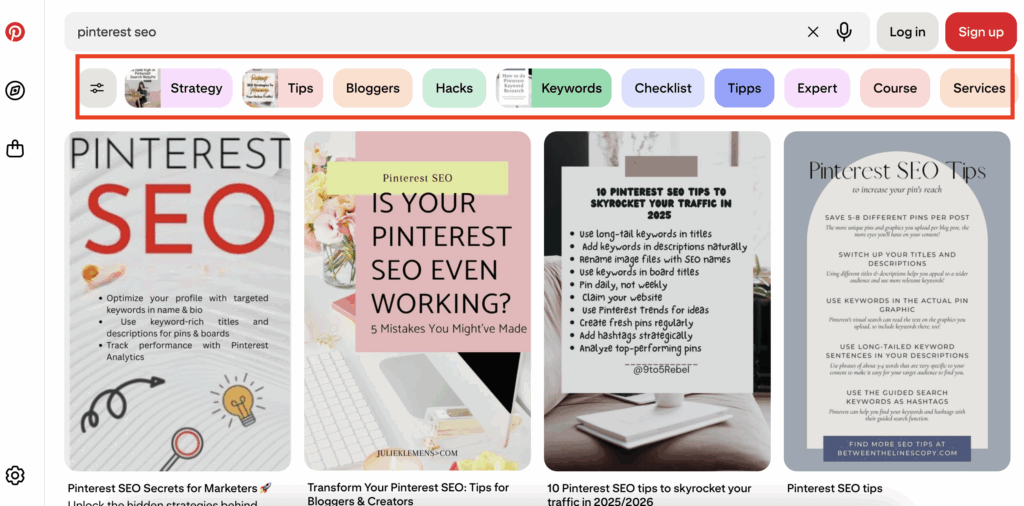
2. Keyword Bubbles
As soon as you click your search term, Pinterest shows the Search Results page. Look for colorful keyword bubbles below the search bar and above the pins. These contain additional keyword combinations and related terms. That’s the second place for your keywords.
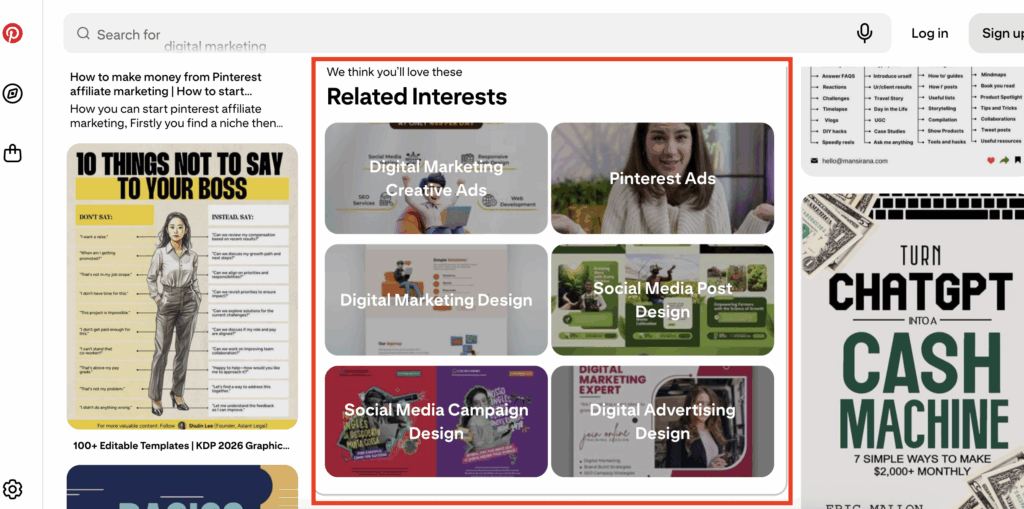
3. Related Searches
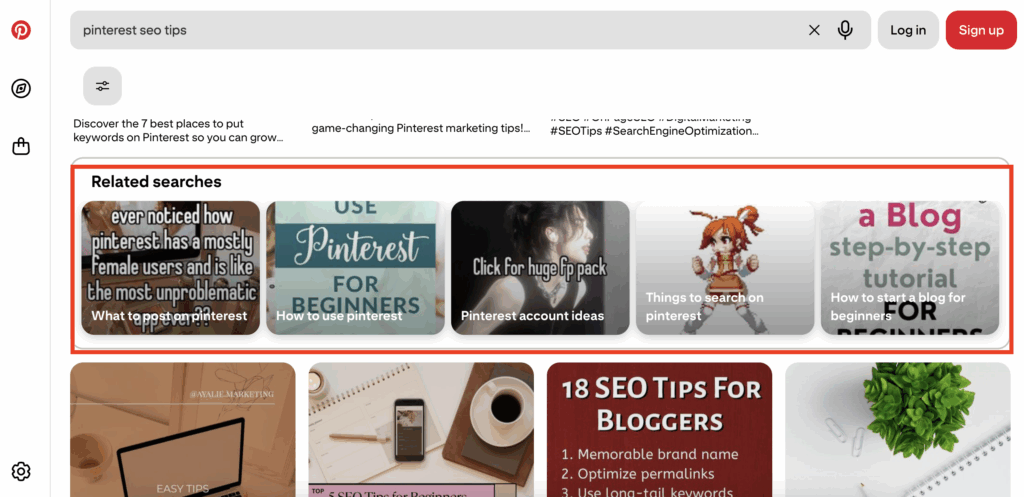
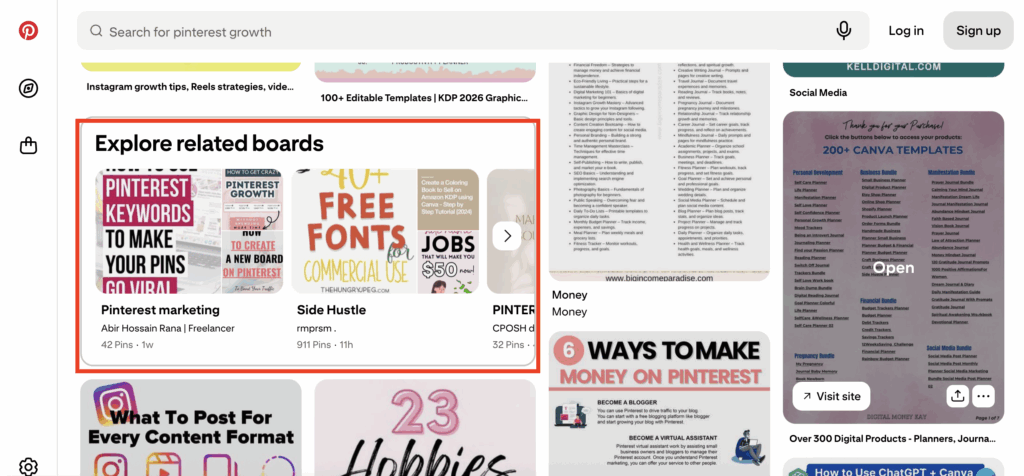
Scroll through search results to find a column of 4-5 tabs with additional keyword suggestions under “Related Interests” or “Related Searches.” Pinterest sometimes shows these under “Explore Related Boards.” Note all these keywords in your phone’s Notes app without delay.
4. Chrome Incognito Mode Analysis
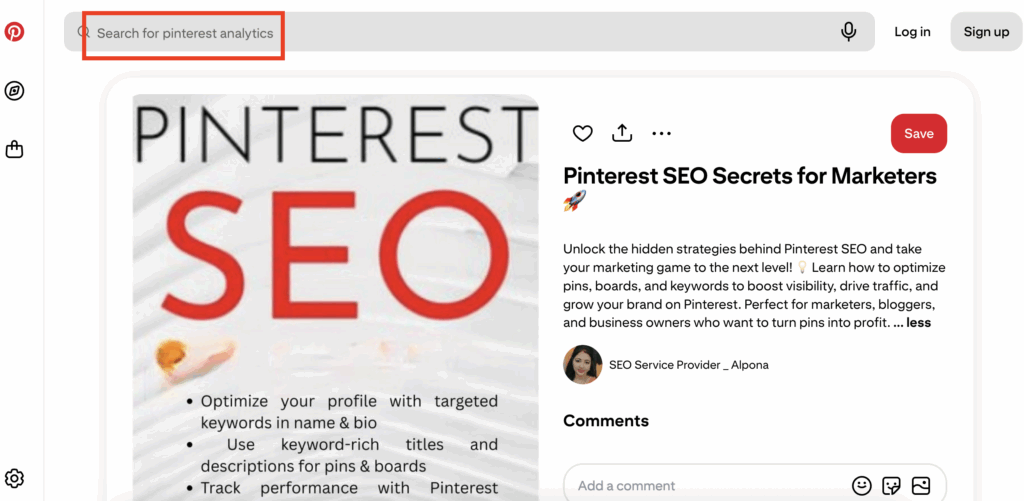
Using Chrome’s incognito mode (Safari works too, but Chrome yields better results) reveals Pinterest’s secret categorization method. Pinterest uses machine learning algorithms to understand user behavior, pin clicks, and other undisclosed factors.
You can discover additional keywords that go on a loop at the top of the screen in your search bar as related keywords. These show how Pinterest has categorized content.
5. Advanced Pin Analysis
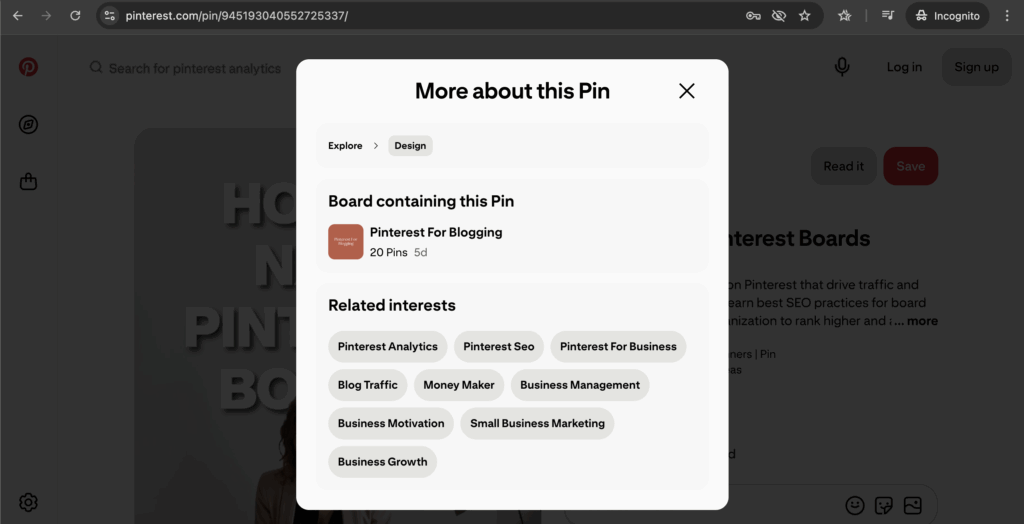
With recent updates, Pinterest offers new annotation methods. Click on any pin, then the three dots in the upper right corner. A drop-down opens up, then select “Learn More about this pin” to access a complete list of related annotations or keywords.
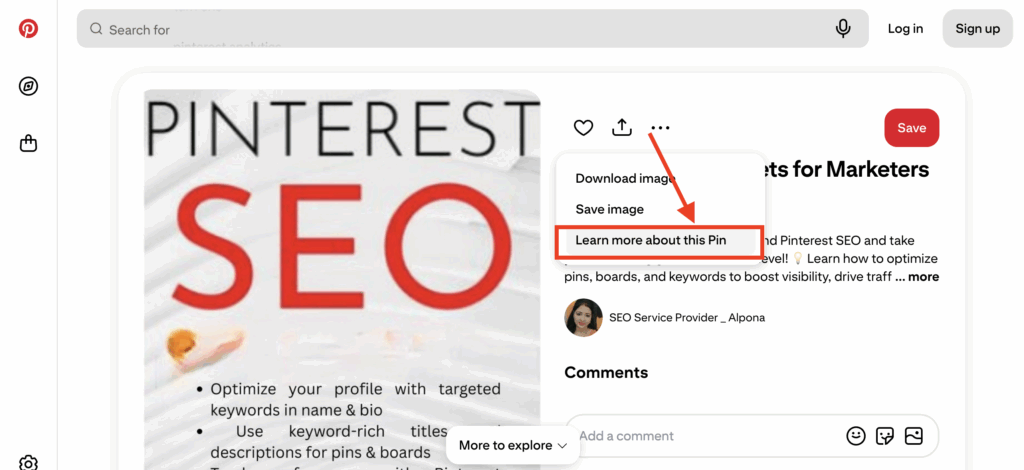
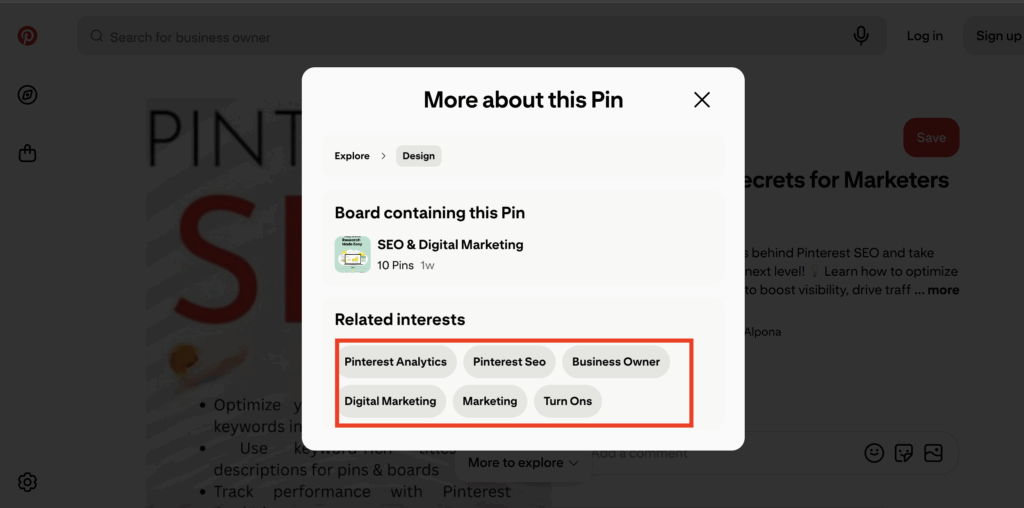
Clicking on any one of these annotations reveals gray bubble keywords under pins along with additional auto complete words on the top.
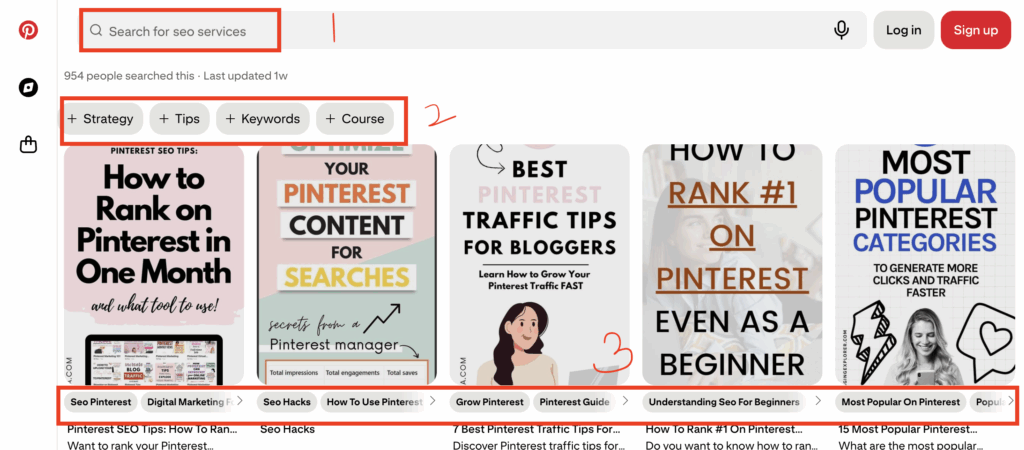
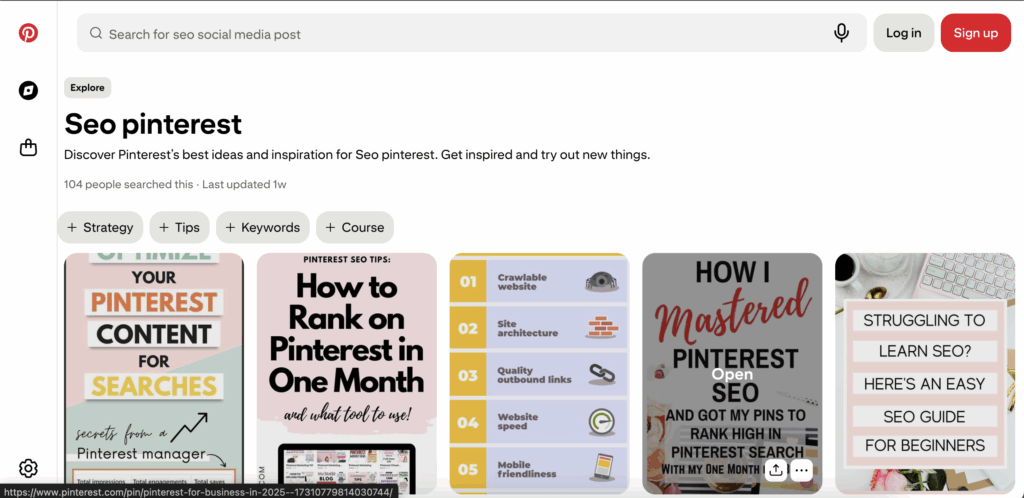
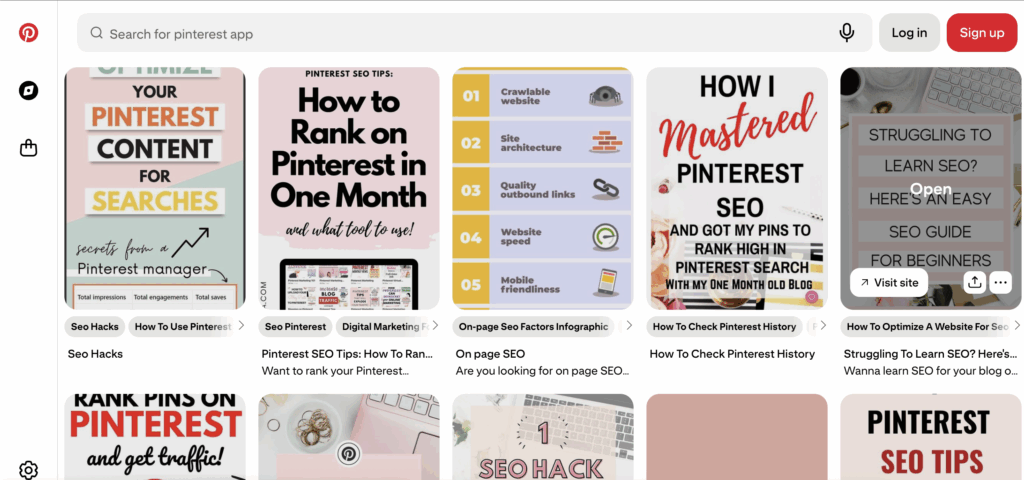
Additionally, click any gray bubble keyword to discover “Related Interests” and “Explore Related Boards” and “Ideas Like This.”
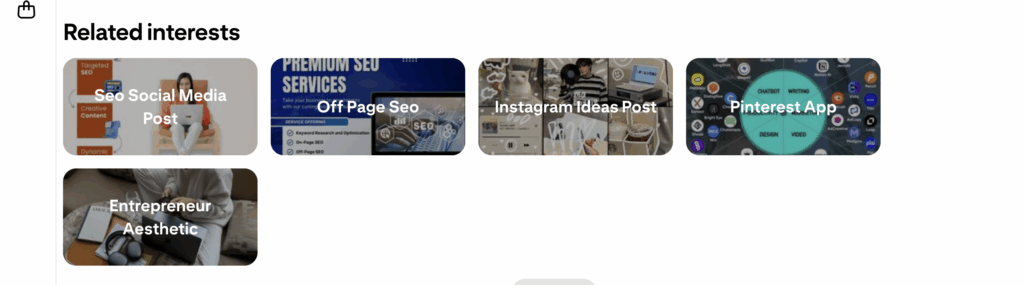
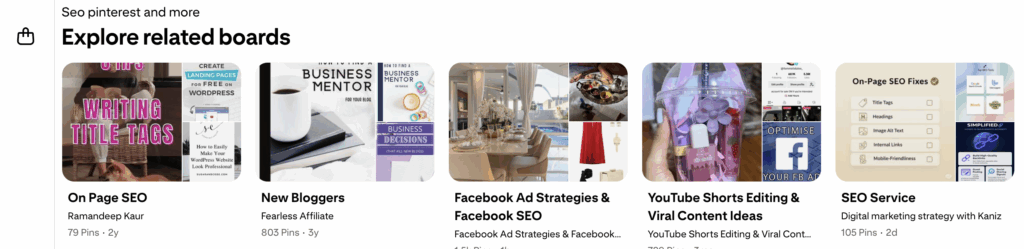
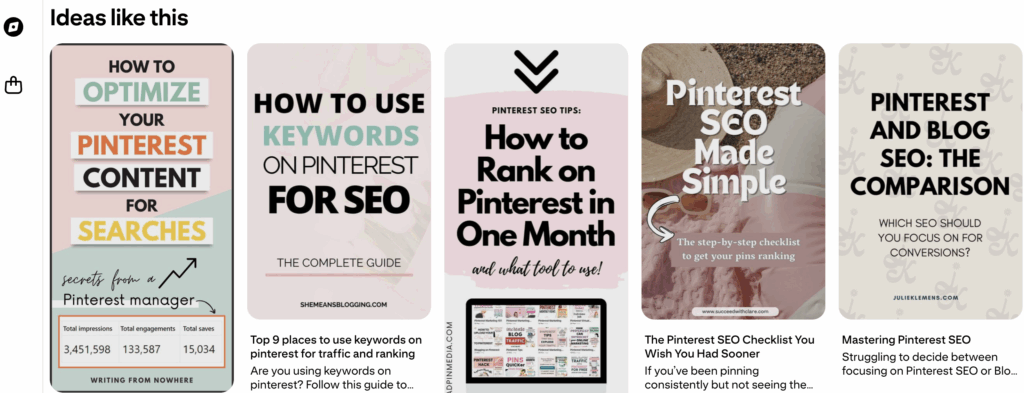
As well as more pins with additional annotations.
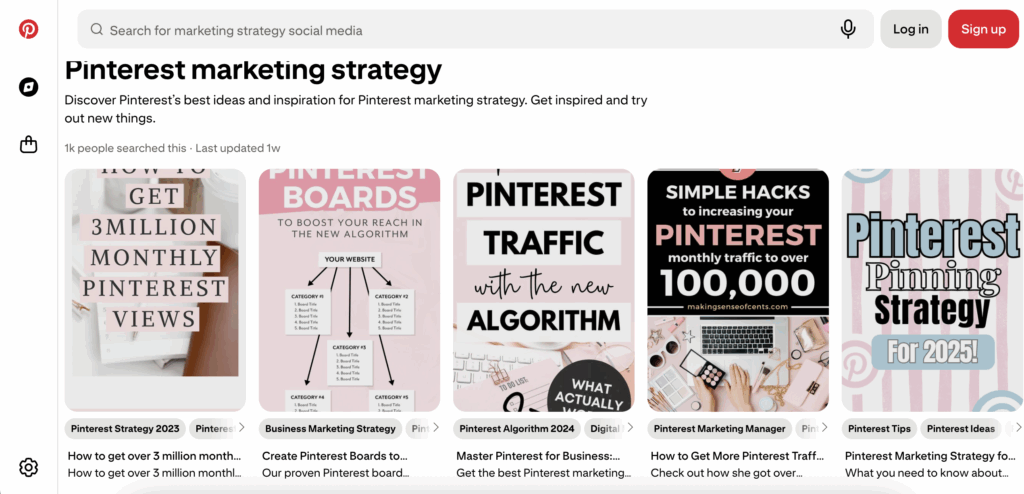
You can analyze your own pins using incognito mode to verify if related keywords align with your content focus. This indicates whether your pin is well-optimized. Note: Pinterest’s machine learning takes 10-12 days to annotate keywords to new pins.
This was from one of my pins.
6. Pinterest Trends (Advanced Method)
Pinterest Trends is an underutilized goldmine for keyword research. This free tool shows seasonal trending topics, emerging keywords, and search volume patterns over time. Access it at trends.pinterest.com.
How to use Pinterest Trends effectively:
- Seasonal Planning: Identify trending topics 45-60 days before peak seasons. For example, “spring cleaning tips” trends in February-March.
- Geographic Insights: See trending keywords by country and region to tailor content for specific audiences.
- Yearly and Monthly Comparisons: Compare current trends with previous years to predict future patterns.
- Niche Discovery: Find emerging subtopics within your industry before they become saturated.
Pinterest Trends shows percentage increases in searches, helping you prioritize which keywords to target. Also, look for keywords with steady growth rather than sudden spikes, as these indicate sustainable interest.
Pro Tip: Combine trending keywords from Pinterest Trends with the autocomplete and bubble methods for maximum keyword diversity.
Competitor Keyword Analysis
Aanalyze competitor keywords from top-performing, well-optimized pins. By all means, while searching “Pinterest SEO,” pins appearing at the top of the feed typically match Pinterest’s algorithm preferences.
Copy the URL of top-performing pins, paste into a new incognito tab on Chrome, and analyze their keyword usage. This additionally provides ideas for your pin titles and descriptions.
Need Pinterest keywords that actually work?
Stop guessing. I’ll research 30 SEO keywords for your niche – the words/phrases people are searching for on Pinterest right now.
You fill out a quick form (niche, content type, blog posts), I do the research, and you get a keyword list in 7 days. Use them in your pins, titles, and descriptions.
$27. Simple.
Request your keywords → HERE
My Complete Keyword Research Process
Here’s my step-by-step method:
- Open Pinterest in incognito mode
- Type your primary keyword into the search bar
- Note autocomplete keyword combinations
- Then write down the keyword in bubbles below the search bar
- Scroll through results, noting “Related Searches” keywords
- Then scroll back up and click the first pin in search results
- Click three dots → “Learn more about this pin”
- Screenshot all the keywords in the new box that opens up
- Click any of the relevant keyword to find pins with gray bubble annotations underneath
- Use these keywords in pin titles and descriptions
- Check Pinterest Trends for seasonal opportunities
- Analyze competitor pins using the same process
Advanced SEO Techniques
For advanced users, Pinterest Trends, Pinterest Campaign Creation Tool, and other marketing techniques can identify additional keywords. Find comprehensive advanced methods in my Pinterest Playbook.
Frequently Asked Questions
Pinterest typically takes 10-12 days to process and categorize new pins. Subsequently, significant traffic improvements usually appear within 3-6 months of consistent, optimized pinning. And indeed even after a year, the pins keep sending traffic to your blog.
Use 2-3 primary keywords naturally in your pin title as well as 5-8 related keywords in your pin description. Avoid keyword stuffing. Focus on natural, readable content.
Hashtag usage has declined on Pinterest. If you use them, base them on keyword research. Also, don’t use both hashtags and keywords excessively in pin descriptions and titles.
No, avoid using identical keywords. Start with Google keywords, then use Pinterest’s search bar to discover autocomplete and related Pinterest-specific keywords. Use both Pinterest and Google keywords in your blog posts and other content for maximum reach.
Several websites offer Pinterest keywords, but important data often requires paid subscriptions. Free methods outlined in this post provide comprehensive results without cost.
Gain search volume insights using Pinterest’s Campaign Creation Tool for advertisers, though this isn’t necessary for basic optimization. Also, combining the techniques in this guide provides sufficient keyword data.
Yes, but keyword strategies vary by niche. Fashion and food niches often use more visual, lifestyle-focused keywords, while business and education niches use more specific, problem-solving terms.
Adapt your keyword strategy to each account’s specific niche and audience. While methods remain consistent, actual keywords should align with each account’s content focus.
Review and update keywords quarterly. Additionally, use Pinterest Trends to identify seasonal opportunities and emerging keywords in your niche. Monitor pin performance to identify which keywords drive the most traffic.
Neglecting keyword research entirely or using generic keywords instead of niche-specific terms. Also, many beginners fail to optimize board names and descriptions, missing valuable SEO opportunities.
PIN TEMPLATE CLUB
Creating consistent Pinterest graphics shouldn’t eat up your entire afternoon. That’s why I created the Pinterest Template Membership, where 15 trending, ready-to-customize templates are delivered to your inbox every month for just $9.
No more design paralysis. No more wondering what’s working on Pinterest right now. I research the trends, you get the templates.
Join the membership for $9/month → HERE
🎁 Want 5 Free Pinterest Templates?
Not sure if templates are for you? Grab 5 of my trending Pinterest designs (fully editable in Canva) and test them out. Completely free.
Wrapping Up: Your Pinterest SEO Success Starts Now
Pinterest keyword research doesn’t have to be complicated or expensive. These five free methods – search bar autocomplete, keyword bubbles, related searches, incognito mode analysis, and Pinterest Trends – give you everything needed to optimize your pins effectively. By all means, start using them today.
Begin with one method. Pick your main niche keyword, then open Pinterest in incognito mode, and spend 15 minutes collecting keyword ideas. Remember, consistent optimization beats perfect pins every time. Your audience is already searching for your content, and these keywords help them find it.
Ready to transform your Pinterest strategy? Firstly, save this post, then implement these techniques, and watch your Pinterest traffic grow over the next few months. Your future self will thank you for starting today.
Need a Pinterest strategy that actually works?
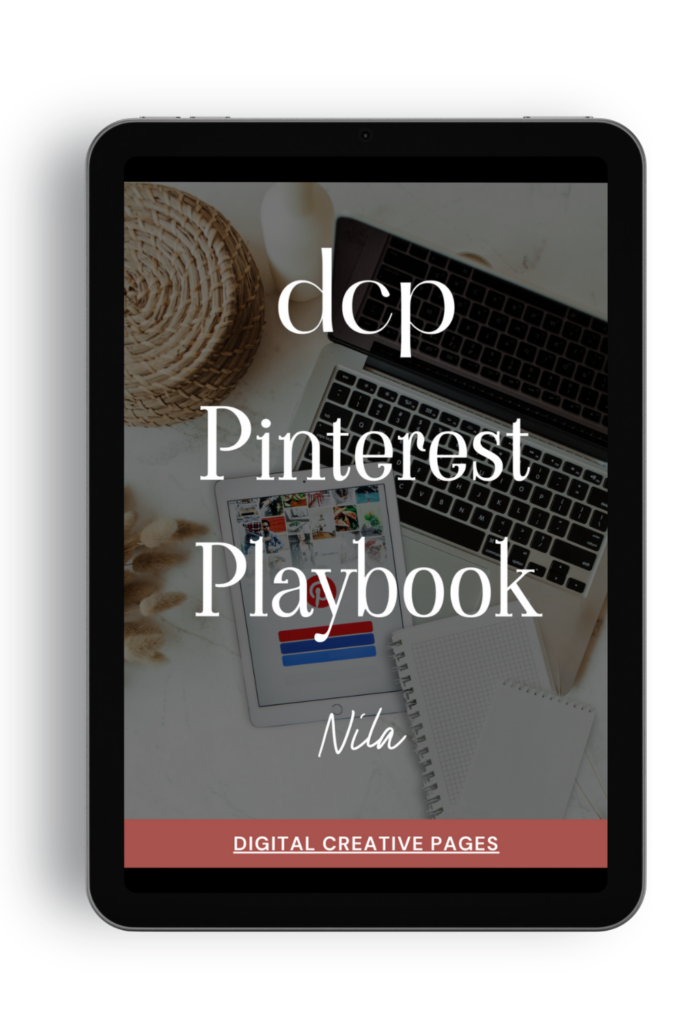
The Pinterest Playbook covers everything: how to set up your account, SEO keyword research, algorithm secrets, where to add the keywords, what kind of pins to make.
It’s the complete guide I wish I had when I started. Just 84 pages of what works.
$27 → Get the playbook
Ready to take your Pinterest strategy to the next level but don’t have the time?
As an experienced Pinterest manager, I help busy entrepreneurs and content creators grow their traffic and sales through strategic Pinterest marketing. From keyword-optimized pin creation to board management and analytics tracking, I handle the technical details so you can focus on your business.
If you’re ready to transform your Pinterest presence without the overwhelm, let’s chat about how my Pinterest Management Services can work for you. Learn more about my services to get started.
Loved This Post? Save It for Later!
And hey! If this post helped you, don’t forget to pin it to one of your boards so you can revisit it anytime. Also, more small business owners and creators can discover these helpful tips. Every save and share genuinely supports my work, and above all, I’m extremely grateful to you! Thank you!
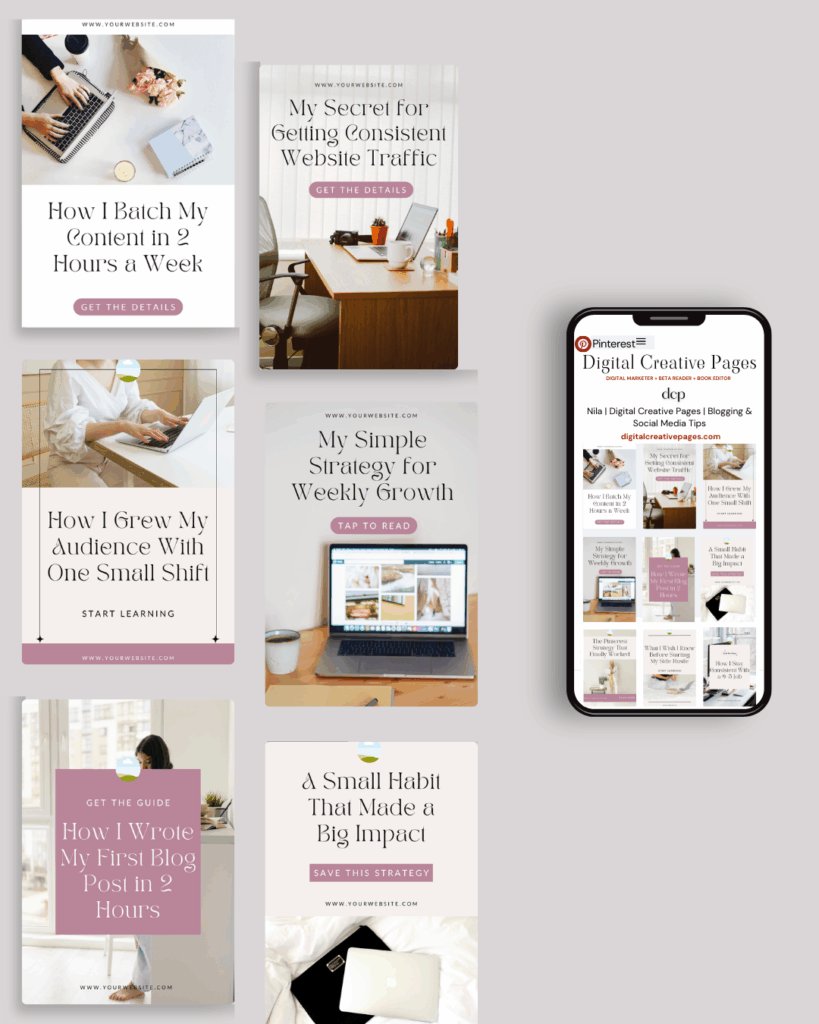
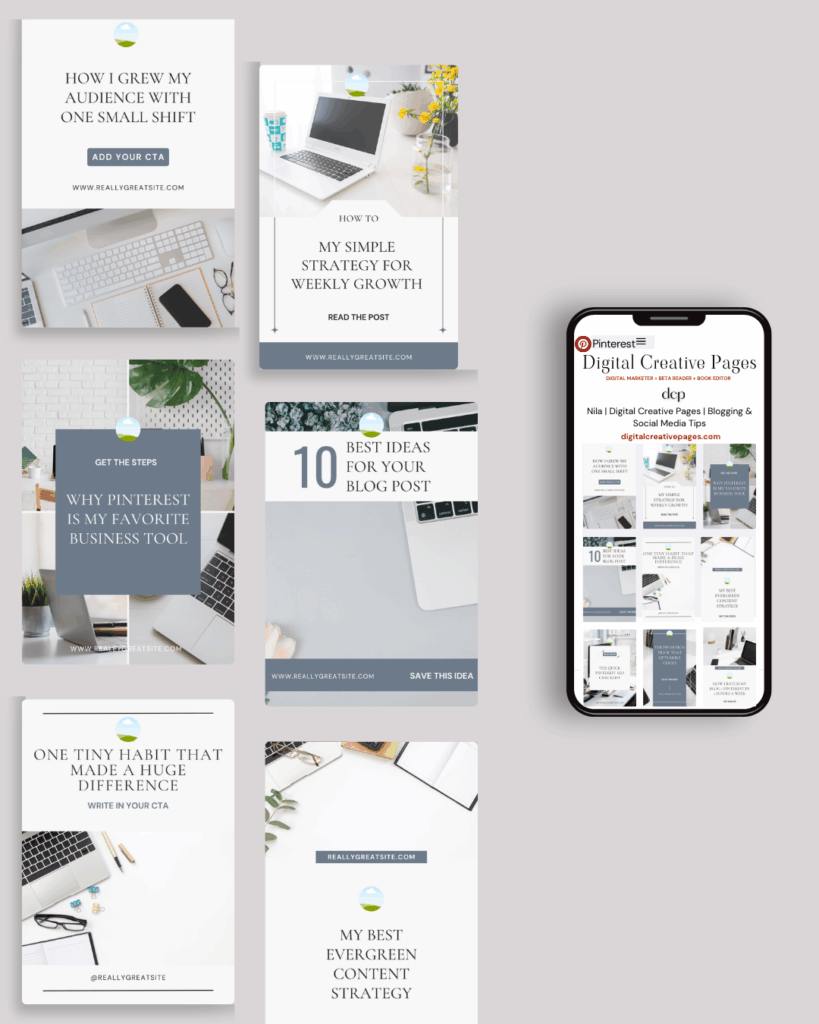
TEMPLATES FOR ENTREPRENEURS
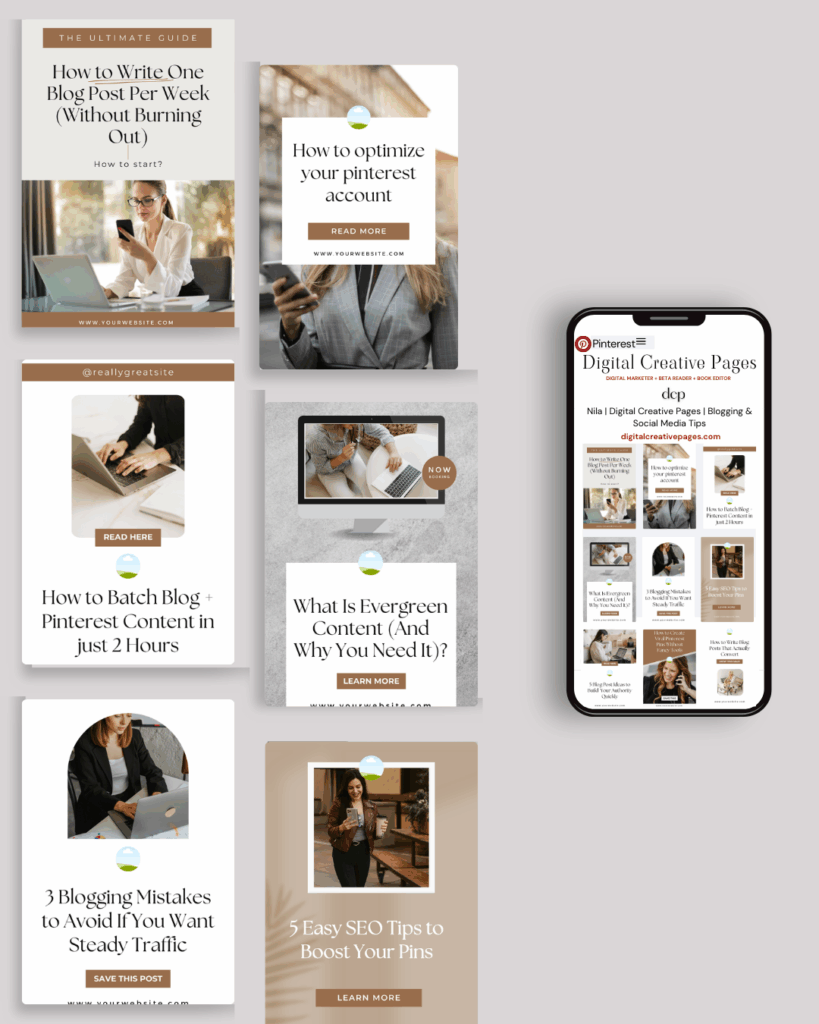
No time to design from scratch? My Pinterest Templates are created with strategy, structure, and your brand in mind.
Pick your style: Modern Minimalist | Soft Storytelling | Entrepreneur-Friendly Layouts
Get them here → DCP Shop → $5
Ready to take your Pinterest strategy to the next level but don’t have the time?
As an experienced Pinterest manager, I help busy entrepreneurs and content creators grow their traffic and sales through strategic Pinterest marketing. From keyword-optimized pin creation to board management and analytics tracking, I handle the technical details so you can focus on your business.
If you’re ready to transform your Pinterest presence without the overwhelm, let’s chat about how my Pinterest Management Services can work for you. Learn more about my services to get started.
MY TOP POSTS
My INTRODUCER post – check out why I chose Showit as my website builder here
Use my code DCP to get one 1.5 months free on Showit
Also, get all the resources for your online business growth and Pinterest marketing without breaking the bank from my DCP Shop here
By signing up for my freebies, you are agreeing that I can use your email address to market to you. You can unsubscribe from marketing emails at any time by using the link in my emails.
Previous post
next post
Search + Enter

meet nila

Hi. I am
Nila
Beta reader, book editor, Pinterest manager, Showit VA
I’m a beta reader and book editor and PA for authors, specializing in story clarity and developmental feedback. I run a sustainable online business that keeps working for me 24/7.
Along with this, I offer Pinterest management for overwhelmed creatives and entrepreneurs and set up and customize Showit templates when the tech side gets too overwhelming.

My Shop
Buy now
i need it

Free Stuff
get the goods
check it out

My Favorites
apps + Tools
Yes, please


